Category Archives: Manage Service

24 x 7 x 365 Proactive Monitoring of Network Infrastructure-Your Business Safety Net

Without a safety net in the form of proactive network monitoring, you run the risk of costly outages and other potential disasters.

Without a safety net in the form of proactive network monitoring, you run the risk of costly outages and other potential disasters.

Picture the scene. A hush falls over the crowd as they crane their necks to see the small sequin-clad figure of a girl walking a tightrope high above the stadium floor. She walks sure-footed for a few steps and then, unexpectedly, she begins to wobble. Something has gone wrong, though the crowd cannot discern just what is it from their vantage point on the floor. She tries to correct her balance, and a collective gasp of horror rises from the audience as she loses her balance and falls for what seems like an eternity before hitting the carefully positioned safety net below. She bounces once, twice, and a third time before flipping easily down to the floor, unharmed. She raises her arms to show the crowd she is all right. The crowd erupts in applause. While the crowd will forever remember the girl, the unsung star of the event is the safety net.

Just like that girl on a wire, your business processes run day by day with seemingly sure footing. However, what happens on those occasions when something goes amiss? Where is your safety net? 24 x 7 x 365 proactive monitoring of network infrastructure can keep your business from the disastrous results of a network failure.

The key to the success of this type of monitoring lies in its name. It is proactive. Rather than waiting for a failure to happen and then stepping in with a sometimes complicated, time and labor-intensive fix, proactive monitoring anticipates the failure and moves to address potential issues before they become critical. Thus, catastrophe can often be avoided entirely. As the old saying goes, an ounce of prevention is worth a pound of cure.

How does this monitoring work? All day, every day, data is collected regarding the performance, health, and status of your network infrastructure. Based on data received, optimization features are triggered, which increase the productivity of your system and ultimately, the profitability of your entire enterprise.

Imagine the security of knowing that someone is watching your systems day after day to ensure every component of your network is working optimally at all times. While in-house IT support can provide a good level of care, it is likely that your business does not have around-the-clock coverage with on-staff IT professionals. The expense of maintaining 24 hour in-house support is often prohibitive. But the fact is that you need 24-hour-a-day support, because system failures do not historically occur just during regular business hours.

Proactive monitoring can often be paired with proactive maintenance support as well. This means that your network is maintained at optimal levels on an ongoing basis. Monitoring and associated maintenance ensures that backups take place at regular and appropriate intervals and that any security patches needed to keep your system up-to-date are handled in a timely manner.

Just as you expect your in-house IT staff to be knowledgeable regarding current issues that might impact your network infrastructure negatively, proactive monitoring ensures that emerging threats can be neutralized as quickly as possible.

Does proactive monitoring slow down your business processes? The simple answer is, no. This type of monitoring is completely unobtrusive, allowing you to proceed with the every day routines of your business workflows and processes without hindrance. Tweaking your system as needed, proactive monitoring provides peace of mind for you and your staff, optimal performance of each and every component of your network infrastructure, and increased productivity that comes from a reduction of downtime caused by random system failure.

If this sounds like something that would benefit your business, please contact us today. We can show you how proactive monitoring can work best for your enterprise.

Why Your Managed Service Provider Should Be Comprehensive in Remote and In-Person Services

All managed services we provide work either remotely or through in-person visits. We feel combining the two is important so it's not just one or the other.

All managed services we provide work either remotely or through in-person visits. We feel combining the two is important so it’s not just one or the other.

Any managed service provider worth its price should never have limited services to help your business run more efficiently. Just like a regular manager of a company, true management means being comprehensive in making sure every aspect of a business runs well. Sometimes this means in unexpected areas you perhaps overlooked.

This is the philosophy we take here at SystemsNet where we provide an excellent managed service with no angles missed. We named our service Vita, with three different tiers providing everything you need to keep your business running well. However, we added some additional things we know businesses sometimes don’t consider.

All managed services we provide work either remotely or through in-person visits. We feel combining the two is important so it’s not just one or the other. When it’s entirely in-person visitations, IT management sometimes gets in the way. If it’s entirely done remotely, some services requiring in-person repair get ignored and leave a business more vulnerable.

Take a look at some areas we focus on that provide services you don’t always find elsewhere, other than the usual promises of backup and recovery.

A More Comprehensive Help Desk

Back in the old days of the help desk, you usually had to follow directions from a technician over the phone. While you still see some of that today, our help desk is more convenient and more comprehensive in getting things fixed. Most of the time, it’s done remotely while we keep things monitored. Many times, we’ll catch issues before you even know they happened, and we’ll fix them without incident.

Other times, you’ll need some on-site help. Some technical issues aren’t always fixable directly through an Internet line. A number of these in-person visits are stand-alone technical services we provide. They’re also done at your convenience so they don’t interfere with a busy work day and disrupt your employees.

Repairing Cables and Wiring

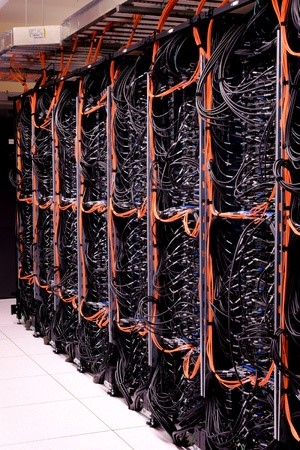
One of the above individual in-person services we provide is helping you deal with any cable or wiring issues within your company headquarters. We know that cables and wires are sometimes a major problem when you have limited space. While wireless services are plenty, you still need proper wiring for Internet and your desktop computers as just starters.

Even if all tech will eventually go wireless, we’re there for you to help you properly place cables and wires so they don’t become obtrusive. Also, if you suspect you need to replace any cables or wiring due to bad connections, we’re there to help scope it out and replace them immediately.

Consultations on Hardware and Software

The world of technology changes constantly, and keeping up on which software or hardware is the best for your company is daunting without some guidance. This is part of our service to you, almost as a form of a consultancy. While many consultants will tell you which hardware and software is the best in the industry, they have to understand whether it’s really right for you first.

Using our management services first, we determine whether certain hardware or software is really a right fit for you. Much of that hardware and software is useable through the cloud.

Training Your Employees

You’ve perhaps forgotten how important it is to train your employees so they understand the technology they’re using. Rather than attempt to train them yourself or hire an outsider training course that doesn’t understand your company structure, we provide this service for you. Since we’ll already understand what you need, training is more efficient and done on your own time.

Contact us here at SystemsNet to find out more about our Vita, Vita Plus, and Vita Pro managed services. You’ll have nothing overlooked for the ultimate in IT management.

The 7 Keys to Building a Solid Network Infrastructure

An independent HVAC system and uninterruptible power supply are two crucial physical elements of your network infrastructure.

An independent HVAC system and uninterruptible power supply are two crucial physical elements of your network infrastructure.

Network infrastructure refers to the software and hardware resources of a complete network that enable network communication, connectivity, management and operations of an enterprise network. Most office intranets are like the World Wide Web, but they operate on a closed network infrastructure that is accessible to only the people within it. Network security should be the main concern when you build a network infrastructure. Below are 7 keys to building a solid network infrastructure.

Antivirus and Anti-Malware: All of your employee computers and servers should have antivirus and anti-malware prevention software to prevent hacking and shutdowns.

Run Backups: Develop a thorough backup process and adhere to it under all circumstances. You can keep multiple ones in multiple places. The layered approach provides the best data protection.

ID and Password Control: When you implement a new piece of hardware rename the local administration ID and create a strong password. Another tip is to enforce password changes periodically.

Reliable Uninterruptible Power Supply: You need a reliable UPS in case there is a power outage. This equipment connects your servers and gives them time to shut down correctly if there is a power failure.

Naming Conventions: This is a very important part of a secure infrastructure because it makes it easy to identify missing files that require restoration.

Heating Ventilation Air Conditioning System: You need an independent HVAC system for your server room because if an air conditioning unit goes down in your building, a high temperature can put servers at risk.

Restoration Testing: It is a good idea to run restoration tests regularly. The process allows you to work to resolve problems immediately.

A good IT company can provide network solutions. Their highly qualified network specialists can assist you with help desk support, hardware and software support, installation and troubleshooting. They can even manage data backup storage. Details about 3 types of storage services to choose from are below.

  • Cloud backup is also known as online backup. It involves backing up data by sending a copy of it over a public or proprietary network to an off-site server. A third-party service provider usually hosts the server and charges you a fee based on the number of users, bandwidth or capacity. Most online backup systems are built around a client software application.
  • Network-Attached Storage utilizes a standard Ethernet connection to provide network nodes with file-based shared storage services. Most NAS devices do not have a keyboard or display. Each NAS resides on the LAN as an independent network node with a unique IP address. The advantage of this type of storage is its ability to provide several clients on the network with access to the same files.
  • Business Continuity Device storage is used to prepare for unforeseen risks to continued operations and is related to Disaster Recovery. Both of them refer to the procedures and processes your organization must put in place to guarantee that critical functions can continue after emergencies. This type of storage focuses on long-term or chronic challenges to your company’s success. It is designed to revive your network fast and get your employees back to being productive. It works automatically to back up your vital information as often as every 15 minutes. Files can be restored in about 30 minutes or it can take over as a virtual server to resume operations. Business continuity planning is a comprehensive approach to making sure you can continue to generate profits after anything from small disruptions to natural calamities.

Contact a network solutions service provider to request a consultation regarding network infrastructure and data security. The certified consultants are well-trained and knowledgeable about the latest products and can assist you with selecting the right software and hardware.

For more information please contact us.

8 Valuable Benefits of Virtualization

Virtualization makes better use of your hardware, which results in cost savings.

Virtualization makes better use of your hardware, which results in cost savings.

When companies consider virtualizing, they don’t always see the valuable benefits. It’s easy to get caught up in pessimism when it’s something unknown.

The increase of virtualization, however, gives good reason for companies to be optimistic about the technology. More businesses are using it and finding it to be a positive change. As InfoTech recently noted in a May 19, 2015 article, researchers are seeing a spike in virtualization:

Gartner market researchers report that the number of virtualized servers in data centers has noticeably increased over the last five years. Up to 50 percent of servers had been virtualized in many companies by the end of 2012. This percentage has risen to 70 percent in the last year, especially with the newly delivered systems.

Why are companies stampeding to virtualization? These eight benefits will help you understand why as you consider using the technology for your business.

1. It Makes Better Use of Your Hardware. Instead of purchasing multiple physical units to handle your servers, virtualization dramatically reduces the physical assets needed. In fact, it improves the utilization rates of your hardware from 15 percent to a whopping 80 percent. And that of course leads directly to benefit #2.

2. Cost Savings. It’s not just the better hardware utilization that saves money. As TechRepublic.com notes, the “lack of downtime, easier maintenance, [and] less electricity used” all add up to some serious savings.

3.  Product Testing. Setting up test environments is costly. Product testing requires high overhead. But, as WiseGeek.com notes, virtualization will allow you to “quickly and easily set up and maintain testing environments, and to rapidly restore testing environments to their original state when required.”

4. Better Redeployment. Virtualizing your data center (i.e. continually creating digital backups of all data) means it’s always ready to redeploy at any time, for any reason — and very quickly. The alternative — dealing with a physical server — is more time-consuming and costly. Virtual Strategy Magazine explains it this way: “…if a physical server dies, redeployment can take a lot of time because it is dependent on a vast array of factors that are not always in your control.”

Having digital backups also makes Backup Disaster Recovery (BDR) a walk in the park compared to the grueling alternative.

5. Separated Servers. Without virtualization, it’s usually one server that handles everything. But with virtualization you can dedicate single servers to one function — i.e. one for email, one for database management, one for web. This adds more power and flexibility to each area of your system. According to Webopedia: “…it lets each virtual server run its own operating system and each virtual server can also be independently rebooted of one another.”

6. Less Chance of a Server Room Meltdown. With less physical units in your server room, your chances of a server meltdown reduce. If you think this only happens to small, ill-equipped companies who forget to install a temperature control system, think again. In 2013, Microsoft’s servers overheated and caused a 16-hour shutdown of all Outlook and Hotmail email accounts.

7. More Choice with Vendors. Moving away from physical serves means you’re not forced to use a limited number of vendors. Virtualization makes your system much more compatible with a wide variety of vendors.

8. That Much Closer to Cloud Technology. Virtualization brings your company to the threshold of cloud computing. And, in case you need a refresher on the differences between the two, Business News Daily offers this quick, clean summary:

“…virtualization differs from cloud computing because virtualization is software that manipulates hardware, while cloud computing refers to a service that results from that manipulation…Cloud computing is the delivery of shared computing resources, software or data — as a service and on-demand through the Internet.”

Contact us to learn more about virtualization and how it might benefit your company. If you’re not sure if it is a good fit for your company, contact us for a free consultation to determine if now is a good time for your business to virtualize.