Category Archives: Security

Why MFA is Important for Your Company’s Cybersecurity

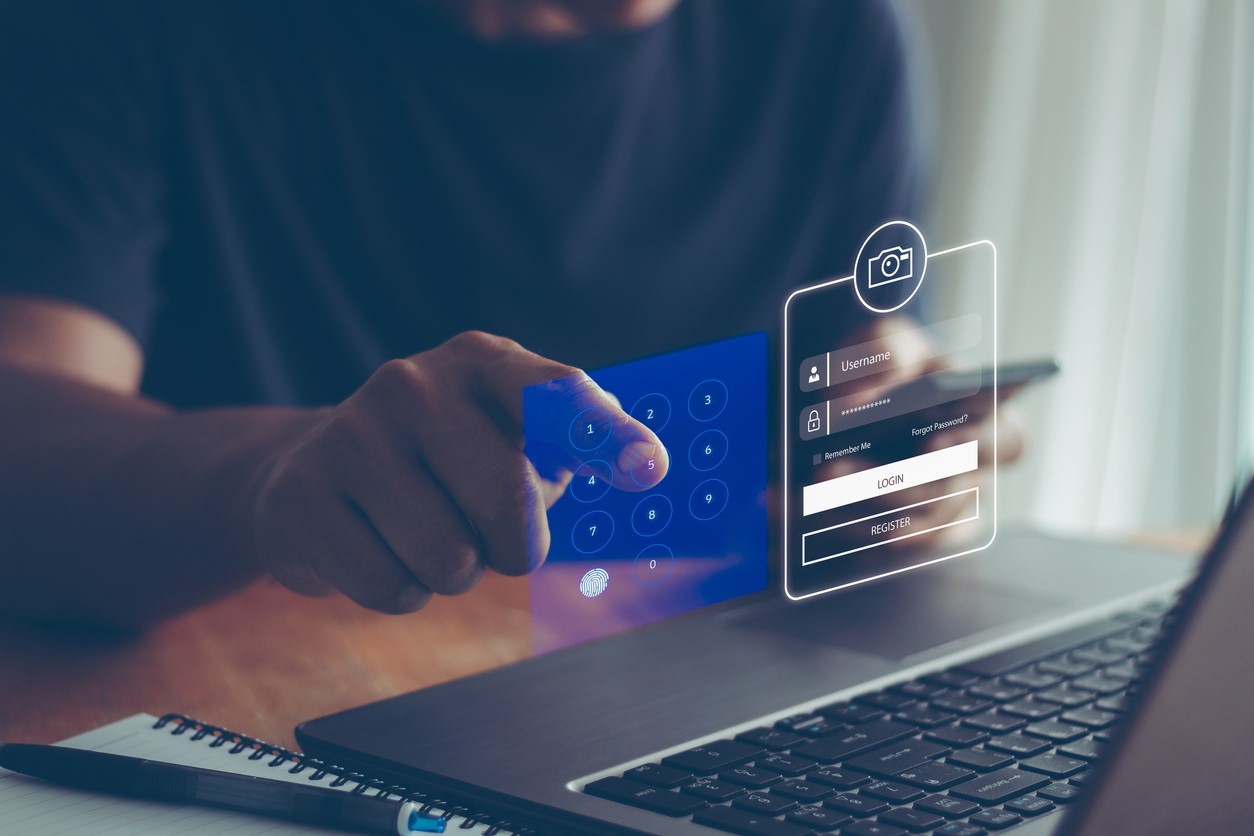
Employee activating a multi-factor authentication using a mobile phone and a laptop.

Securing your information systems against cybercriminals.

It’s becoming increasingly challenging for individuals and businesses to secure their information systems against cybercriminals. Hackers are always trying to find ways of breaking into your data systems, and mere passwords may not be sufficient deterrence. To enhance your data security, there’s a need to add an extra layer of security, and this is where multi-factor authentication (MFA) comes into the picture.

What is Multi-Factor Authentication (MFA)?

Also referred to as 2-Factor Authentication (2FA), multi-factor authentication is a security system combining more than two forms of authentication to improve account security. With the MFA in place, credentials won’t be enough to allow access to your accounts.

When you activate the MFA on your device, account or website, the server will automatically require a second independent form of authentication to log you in successfully. Without this additional authentication, you won’t be able to access your account, website or device.

Importance of MFA on VPN connections to the office

VPNs provide a safe and secure environment for remote access to your internal on-premise applications, but they aren’t a silver bullet. If you’re providing users with just a password and username to access your VPN connections, you’re not completely immune to data breaches because those credentials can be stolen.

Here are reasons you need to activate MFA on your VPN connection:

  • Protection against credential theft: The MFA provides an additional layer of security when accessing your accounts, data and websites.
  • Provides visibility into all devices on the network: MFA sends authentication requirements to devices, so you can tell which devices are connected to the network.
  • Secure access to on-premises and cloud applications: With the MFA on, login credentials in the wrong hands won’t do much harm.
  • Help enforce granular access security policies: It’s a way of enforcing security policies – just ensure every user has MFA activated on their endpoints.
  • Achieve regulatory compliance: It’s a requirement to meet data security policies.
Importance of MFA on Office 365 logins

Hackers often fish for any loopholes to exploit and gain access to your data, and one potential place to find a loophole is your Office 365 account. Thankfully, Microsoft realized they needed to secure their Office 365 client accounts back in 2014, and made a provision for adding the MFA.

Here are some important benefits of adding MFA:

  • Increase security of user logins: When you activate the MFA, you’ll be required to acknowledge a phone call or text, message, or an app notification on your smartphone, so you can access Office 365 services. This means you won’t have to worry about your logins falling into the wrong hands, and someone using them to access your account. You will receive a notification when they attempt to log in, and know it’s time to change your logins.
  • Prevents phishing attacks: MFA helps you to know you’re logging into Office 365, and not a replica site designed to steal your sensitive data. If inputting your credentials doesn’t trigger a second authentication activity, then you know you’re about to fall victim to a phishing attempt.
  • Keeps track of all login activity: Multi-factor authentication can also help you keep track of all logins, so you can review them periodically to see if there’s abnormal activity. A notification of a failed login should be the first red flag you should look for when you’re ascertaining the security of your Office 365 account.

MFA is no longer a luxury today when cybercriminals are hell-bent on compromising your information systems and causing data breaches. A data breach can be a costly affair, requiring you to spend thousands of dollars to restore your systems. Be sure to set up MFA on all your accounts and VPNs to have an additional layer of security. At SystemsNet, we can help you implement MFA on your accounts and keep your data safe. Contact us today to handle all the installations.

How EventTracker Security Helps Small to Medium Size Businesses Succeed

IT professionals looking at a laptop in their office to detect signs of malicious activities - using EventTracker Security tools

Providing your organization with an overview of your network security.

Small to medium-sized businesses are the backbone of the American economy. According to a study by The Guardian, these businesses account for over 80% of all companies in America. Businesses employ more than half of the private sector workforce.

They need to have efficient systems that protect them from cyber attacks to be successful. EventTracker Security is one such system that can help SMBs succeed in the age of digital transformation.

It is a security information and event management (SIEM) system that helps businesses detect, investigate, and respond to cyber threats. It does this by collecting data from all of the devices on a network, including routers, firewalls, servers, workstations, and more. This data then gets analyzed to identify potential security threats.

This post will explore the top five benefits of EventTracker Security for SMBs.

1. EventTracker Security Helps Businesses Detect Cyber Threats

The system constantly monitors all devices on a network for signs of malicious activity. If there is a threat, an alert gets generated and sent to the security team. It allows businesses to identify and investigate potential hazards quickly.

EventTracker Security also offers a comprehensive dashboard that gives businesses an overview of their network security. It allows businesses to quickly see which devices are vulnerable and take steps to mitigate the risk.

The system also includes a Threat Intelligence Database that contains information on millions of known threats. This helps businesses identify and investigate new threats as they emerge.

This data gets stored in a secure, cloud-based platform accessible from anywhere.

2. EventTracker Security Helps Businesses Investigate Cyber Threats

Upon discovering a threat, the EventTracker Security team will work with you to investigate the incident. They will provide all the data you need to understand what happened and how to prevent it from happening again.

The EventTracker Security team has years of experience in investigating cyber incidents. They will use their expertise to help you understand the root cause of the incident and take steps to prevent a recurrence.

3. EventTracker Security Helps Businesses Respond to Cyber Threats

Following an investigation of an incident, the EventTracker Security team will help you develop a response plan. The plan will include steps to mitigate the risk of future attacks and protect your business from future incidents.

The EventTracker Security team will also work with you to develop a communication plan. It ensures that your customers and employees are up-to-date on the incident and your response.

EventTracker Security also offers a 24/seven support line that can help you with questions or concerns you may have.

4. EventTracker Security is Easy to Use

The EventTracker Security platform is user-friendly. It includes a simple, intuitive interface that makes it easy to monitor your network security.

The platform should be scalable. As your business expands, you can add more devices and users to the system without disruption.

EventTracker Security is also available in various languages, making it easy for businesses to use the system regardless of their location.

5. EventTracker Security is Affordable

EventTracker Security is a cost-effective solution for businesses of all sizes. The system includes various features that can be customized to meet your specific needs.

EventTracker Security also offers a pay-as-you-go pricing model that makes it easy to budget for the system. This pricing model allows you to pay for only the features you need when you need them.

Get Started with EventTracker Security today!

EventTracker Security is an essential tool for small to medium-sized businesses. It helps businesses detect, investigate, and respond to cyber threats. Also, it is easy to use and affordable, making it an excellent solution for businesses of all sizes.

Please don’t wait until it’s too late; get started with EventTracker Security today! Contact us for more information.

Social Engineering = Fancy Job Title for Hackers

Hacked computer screen image on a DOS based system

There are so many different threat types out there, but understanding them is the first step in protecting your business

Most people are aware of terms like phishing and malware, but do you know those are a part of a larger scheme called social engineering? This is not a new kind of fraud, in fact it’s been used for many years to manipulate a wide range of people into giving up important data about themselves or workplace. A prime example of social engineering goes back to Greek mythology with the Trojan horse. They infiltrated the city of Troy with a “peace offering” filled with soldiers, thus winning the war. With technology at the forefront of our lives, social engineering has entered a new era. Physical human interaction is not necessarily required anymore. These criminals can gain information through emails, pop-ups and public Wi-Fi networks, to name a few. The main objective is to influence, manipulate or trick users into giving up privileged information or access within an organization. They are doing this right under your nose, and if you’re not paying attention you will be a victim of this as well.

External Threats

With technology at the forefront of most businesses, external threats are becoming the benchmark for social engineers. They can hack into core business processes by manipulating people through technological means. There are so many ways for social engineers to trick people, that it is best to ensure you are well versed in some of the ways they can hack your system.

Baiting

First of all, baiting can be done both in person and online. Physical baiting would be a hacker leaving a thumb drive somewhere at a business, then an employee picks it up and plugs it into a computer. Could be curiosity, or simply thinking a co-worker left something behind. However, as soon as the thumb drive gets plugged in, it will infect your computer with malware. The online version of this could be an enticing ad, something to pique interest. Things like “Congrats, you’ve won!” Also, there is scareware, in which users are deceived to think their system is infected with malware, saying things like “Your computer has been infected, click here to start virus protection.” By clicking on it, you unintentionally downloaded malware to your computer. If you understand what you are looking for, you can usually avoid these situations.

Phishing

This is probably one of the most popular social engineering attacks. Fairly generalized, this usually comes in the form of an email. Often, they ask the user to change their email, or login to check on a policy violation. Usually the email will look official and even take you to a site that looks almost identical to the one you may be used to. After that, any information you type in will we transmitted to the hacker. You just fell for the oldest online hack in the book.

Spear Phishing

Similar to generic phishing, spear phishing is a more targeted scam. This does take a little more time and research for hackers to pull off, but when they do it’s hard to tell the difference. They often tailor their messages based on characteristics, job positions, and contacts belonging to their victims to make their attack less conspicuous. This could be in the form of an email, acting as the IT guy with the same signature and even cc’s to co-workers. It looks legitimate but as soon as you click the link, you are allowing malware to flood your computer.

Internal Threats

Originally, social engineering took place in a physical setting. A hacker would do some preliminary research on a company structure or focus on behaviors in order to get that initial access into a building, server room or IT space. Once they have a “foot in the door” so to speak, obtaining pertinent data or planting malware becomes that much easier.

Tailgating

Often, they will enter a building without an access pass by simply acting like an employee that left it at home, this technique is known as tailgating. The only credential they need is confidence. This can also include a hacker posing as an IT person and conning people into believing that to be true so they can gain access to high-security areas. This is far easier than it sounds too. You can find company shirts at your local thrift store, exude confidence and gain access.

Psychology

Another interesting process hackers use to con their way into a business is by creating a hostile situation. According to PC World, people avoid those that appear to be mad, upset or angry. So, a hacker can have a fake heated phone call and reduce the likelihood of being stopped or questioned. Human psychology really is a tricky thing, isn’t it?

Public Information

Then of course, the more you know about someone the more likely you are going to gain the information you need from them. This involves everything from scoping out parking lots, observing the workspace and even dumpster diving. Nothing is safe anymore and your life is not always as secure as you’d like to think. Something as innocent as a bill can be used to harvest more information about a person.

Pretexting

Similar to online phishing, pretexting is a popular fraud tactic for phone calls. Often, they will disguise themselves as an authority such as a bank, tax official or even police. They will probe you with questions that could lead to giving up information that could compromise your identity. This personal information can be used to find out a whole slew of things. Not only can they get away with your money immediately, they can easily steal your identity with pertinent information like social security numbers or banking information

Prevention

Social engineering can be prevented by being educated in it. With so many different ways to steal your important data its imperative that individuals and businesses go through some sort of training regarding these issues. However, on a day to day basis, getting into certain habits can help. First of all, pay attention to your surroundings. Remember that physical social engineering still exists and you don’t want to be the one that caused your business corrupted data. Next, do not open emails or attachments from suspicious sources. Moreover, if a legitimate looking email seems slightly suspicious, go to the source and find out for sure if they sent it. Also, multi-factor authentication can curb fraud immensely. One of the most valuable pieces of information attackers seek are user credentials. Using multifactor authentication helps ensure your account’s protection in the event of system compromise. Furthermore, if an offer seems too good to be true, it probably is. Don’t click the link, you didn’t win a cruise. Then finally, keep your antivirus and/or antimalware software updated at all times. This is the best line of defense if for some reason your system has been compromised. For the most part, use your best judgment and common sense. Social engineers have gotten very good at their jobs, but that’s okay because you’ve gotten very good at yours too and can combat these sneaky hackers.

If your business has concerns about keeping your data and business protected against cyberthreats and cyberattacks, contact SystemsNet today for more information on how we can help!

SentinelOne Delivers The Protection Your Business Needs

A photo showing a concept of using SentinelOne for protecting business data - showing icons of cybersecurity and data management.

Taking care of all your business data protection issues.

Under the current business landscape, businesses need IT and cybersecurity more than ever. Most businesses have an automated structure that consists of online data backups, collaborations, exchange of data, etc. While automated structures can offer a variety of benefits to businesses, such as cost savings, scalability, flexibility, and enhanced productivity, it also makes businesses vulnerable to cyberattacks and data breaches.

A business’s data is stored on various servers, including sensitive and confidential data that belongs to customers, clients, and employees. If malicious actors gain access to this confidential and sensitive information, this can be detrimental to the business in every aspect. One successful cyberattack or data breach can lead to business operations being disrupted for a significant period of time, especially if sensitive and confidential information is exposed to the public. Therefore, it is critical for businesses to deploy reliable and secure IT and cybersecurity measures that give businesses the optimal protection they need for sensitive and confidential data.

If a malicious actor gains access to a business’s network infrastructure, it can have damaging consequences, such as the following:

  • Reputational damage
  • Internal and external control damage
  • Significant financial loss

Thus, high-quality IT security is of significant importance. With SentinelOne Security, businesses can benefit from a comprehensive, proactive, and real-time security platform.

Protecting Your Business with SentinelOne

SentinelOne is a security endpoint solution that helps manage business processes in a secure manner. SentinelOne streamlines every aspect of business processes, like data, access control, endpoint protection, and more. SentinelOne provides a comprehensive outlook of a business’s network and allows businesses to successfully manage digital assets. SentinelOne offers first-rate protection against known and unknown internal and external threats, as well as attacks to your endpoints.

SentinelOne also offers significant protection against cyberthreats. SentinelOne provides capabilities that mitigate the impact of cyberattacks. Some features of SentinelOne include the following:

  • Ability to detect threats in their early stages
  • Endpoint protection
  • Security integrations
  • Antivirus updates and ransomware protection
  • Privacy protection

SentinelOne offers more than just protection from cybersecurity attacks and threats. SentinelOne performs early threat detection through machine learning and AI capabilities. The tool inspects data, files, emails, memory storage, and everything that exists in the network to anticipate threats. When a threat is detected, the tool will automatically disconnect the network from a device to prevent damages.

Why Do I Need SentinelOne?

SentinelOne can be viewed as an alternative to traditional antivirus applications, which often have a number of issues with recovery. Traditional antivirus solutions are also known to not reduce a business’s downtime in the event of a cyberattack or threat. SentinelOne takes care of all issues related to traditional antivirus applications. Even when a business experiences downtime, employees will still be able to take on their daily tasks, ensuring productivity and efficiency are not slowed down, thus, preventing loss when recovering from cyberattacks, threats, breaches, etc.

It is not enough to only have a few antivirus, data monitoring, and data protection solutions. While you may have a few tools and solutions implemented, this does not immediately provide your business with the level of protection it needs. Cybersecurity remains a major problem, especially in SMB and mid-markets. In order to address cyberthreats and cyberattacks, your business needs the technology and solutions that will not only give you insight into your network infrastructure but will also put you in a better position to restore your data and continue your business operations with little to no downtime.

If your business handles many data sets and you have concerns about keeping your data and business protected against cyberthreats and cyberattacks, contact SystemsNet today for more information on SentinelOne.