Category Archives: Data Backup

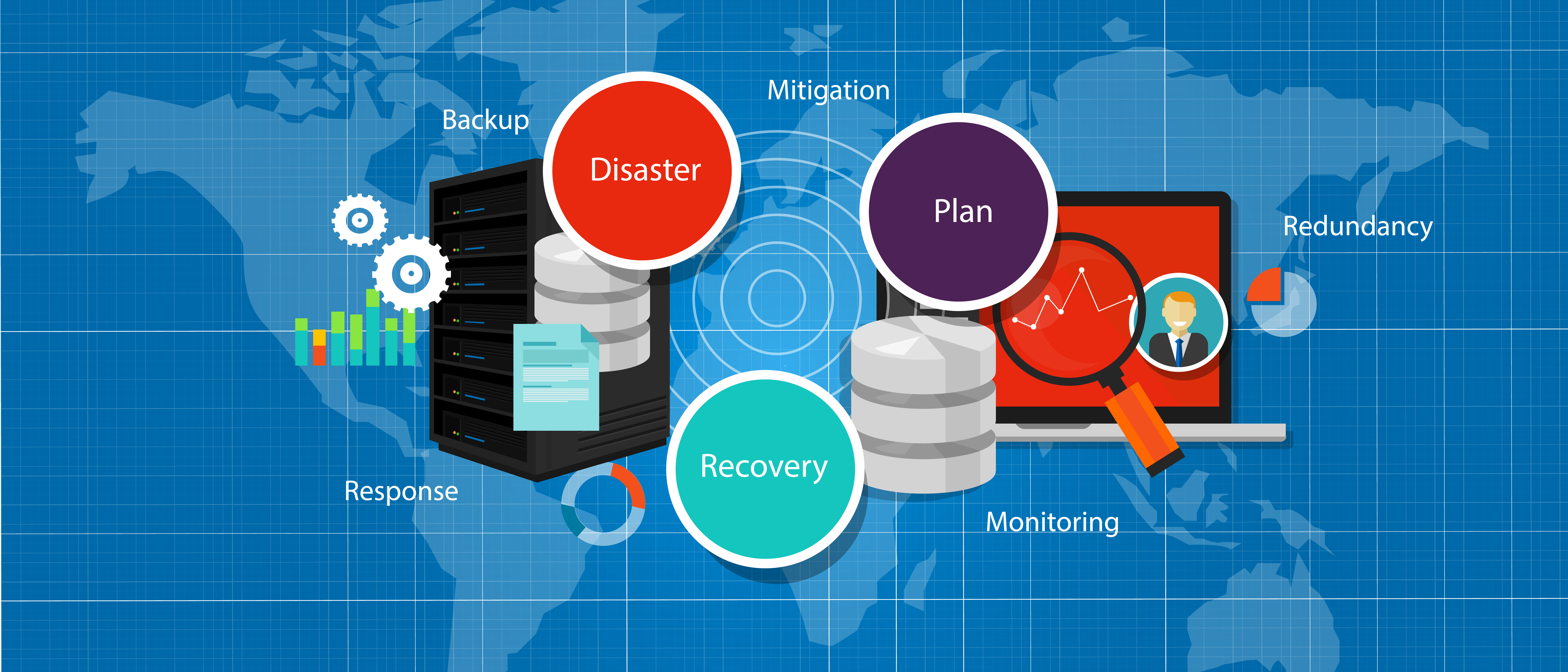
Creating a Backup Disaster Recovery Plan

20161007

Creating a clear disaster recovery plan for your business can help prevent permanent loss of your most vital information and data

Believe it or not, disasters are a lot more common in the workplace than you’d expect. Not to mention that they can also happen at the most unexpected times. Even for the companies which are always prepared for the worst, some incidents are beyond their control. For example, due to the location of the workplace, what if the business was impacted by a natural disaster, such as tsunami or hurricane? As another example, what if there was a fire in the office which forced everyone to evacuate? However, that’s not to say your business can’t recover from these disasters. In fact, this is where a backup disaster recovery plan comes into play. Whether the disaster was a careless mistake or a weather related incident, you need to have a plan for recovering. Overall, what’s the best step forward in creating your plan, and what should you include? Here are a few things to consider.

#1. Do You Have Multiple Backup Options?

As a part of your disaster recovery plan, it’s essential you have multiple backup options at your disposal. After all, what if your only recovery options fails, and you don’t have a way to access the stored data? For example, let’s say you had purchased a USB flash drive for securing your info. First of all, there’s no doubt that it’s a great device for keeping your data safe. Not to mention the amount of gigabytes the more expensive ones can carry is great. However, these devices aren’t always reliable, either. It’s easy to misplace them due to their size, and they can get stolen easily as well. Some flash drives also have a very short life span, and may end up malfunctioning at the worst time. As another backup contingency plan, is your data stored via cloud computing? One of the best things about storing your information this way, is that it’s accessible from any device that has internet. That’s not to say you shouldn’t purchase a flash drive, but cloud computing is exactly why you need multiple backup options. In the case of a power outage or even a ransomware attack, for example, none of your data’s affected. Instead of being stored via your computer’s hard drive, it’s stored on the internet.

#2. Are You Prepared For Any Disaster?

Having multiple backup options is one thing, but you need to know how to handle each incident in the workplace as well. Most disasters that occur are unpredictable, and each one should be dealt with differently. As an example, the way you would recover from a natural disaster, is different than how you’d recover from a power outage. For the former, you might want to have multiple organizations set up, as a way to easily transfer your data. When dealing with a temporary power outage, however, there’s no need to “recover” if you already have your data stored away, since you haven’t lost anything. Cloud computing practically renders your data untouchable in the event of a power failure.

#3. How Thorough is Your Plan?

Multiple backup options aside, is your disaster recovery plan foolproof? Have you tested it out recently? Will you need to make any changes down the road? These are some questions to ask yourself. With the latter question, especially, it’s important to remember that nothing is ever set in stone. Even if you have an excellent disaster recovery plan, keeping it updated is essential. After all, what if you don’t have to use your plan until years down the road, but it’s no longer as effective as it would have been? Test it out on a regular basis, and make the necessary changes.

For more information about creating a successful backup disaster recovery plan, feel free to contact us today at SystemsNet. We look forward to hearing from you.
Back up Safely with Datto

20160930

Datto is one of the most inventive and reliable backup technologies available today and a very valuable resource for businesses

Offsite backup is a necessity in today’s Internet. Backing up to a local disk is good, but it’s not enough by itself. Ransomware and physical disasters can hit a disk drive which is attached to a computer, making both of them useless at the same time.

Datto offers some of the most inventive and reliable backup technology in the business. Its geographically diverse data centers have over 200 petabytes of cloud backup storage. If we look at the factors that make up a strong, trustworthy backup service, Datto ranks well in all of them.

Range of services

Datto has backup services tailored for businesses of all sizes, using a hybrid cloud approach. It backs up both locally and to the Datto cloud.  Its ALTO 2, aimed at small businesses, uses a compact dedicated device to provide local backup and connect to the cloud service. It has a 1 terabyte capacity. Its larger relative, ALTO XL, can handle as much as 24 terabytes.

The SIRIS family offers backup of up to 60 terabytes with extremely high security. All encryption happens on the local device, combining the security of local backup with the safety of cloud backup.

Datto NAS is a Network Attached Storage system capable of holding up to 60 terabytes, with integrated local and cloud backup. It retains snapshots of documents in case it’s necessary to roll back to an older version.

Virtual SIRIS and Virtual ALTO are like the services already mentioned, but implemented in software without a separate physical device.

For cloud-to-cloud backup, Datto has Backupify. It backs up Office 365, Google Apps, Salesforce, and social media. The aim is to protect files against accidental or malicious deletion, not to guard against the unlikely meltdown of those services. Backupify was originally an independent business, which Datto acquired in 2014. This is a different flavor of backup from Datto’s main product line, and we won’t be discussing it further here.

Rapid recovery

If a system fails catastrophically, restoring it can be a tedious process. Datto’s ALTO and SIRIS enable fast recovery by backing up not just files but entire system images. In case of a disaster, they can create a virtual machine from the snapshot and have it running. ALTO and SIRIS offer hybrid virtualization; SIRIS also offers pure cloud virtualization. The result is almost no downtime, even in case of a disaster that knocks out the primary computer.

Verification

A backup isn’t much good if it doesn’t work. ALTO, Virtual SIRIS, and SIRIS 2 use “Screenshot Backup Verification” of system image backups. This consists of booting the system image as a virtual machine and taking a screenshot of the login screen. It notifies the administrator if the VM fails to boot.

Geographic distribution

A cloud backup service needs wide geographic distribution for maximum safety. Datto has data centers in Pennsylvania, Utah, Canada, the UK, and Australia. Customers have the option of selecting the physical location of their backup; sometimes this is necessary for legal reasons. It keeps its facilities guarded at all times, monitoring physical access with biometric scanning and logging of activity. Datto’s security practices follow the ISO 27000 and 27001 standards.

Data security

In addition to physical security, Datto follows high data security standards. It allows detailed access rules, so that customers can control access by IP address, geographic location, time, and other factors. All files are stored in strongly encrypted form.

Disaster recovery

Datto’s services are heavily oriented toward disaster recovery, which has stronger requirements than simple backup and restoration. Those who want a simple offsite file backup will find more straightforward approaches elsewhere. For those who need strong backup protection and can’t afford extended downtime in case of a disaster, Datto has a range of solutions for all business sizes.

SystemsNet provides managed services to keep your network running and safe. For more information, please contact us.

Is Intronis Online Backup the Right Choice for Your Company?

20160811

Itronis’ cloud-based data backup makes it easy to manage, store, access, and secure your data online.

Failing to back up your data leaves your company vulnerable to severe financial losses. Should you lose your data permanently, or fail to restore it at an acceptable speed, your employees will become less productive, your business operations will get derailed, and your customers will lose trust in you.

It’s important to choose the right backup solutions, as they don’t all perform equally well. One strong option comes from Intronis and their cloud-based data backup. There are a number of compelling reasons to go with Intronis for your company.


What are some of the benefits of using Intronis Online Backup?

  • Flexibility. You can adjust your Intronis Online Backup plan to fit your business needs, including the types of data you want to back up, where you want them backed up, and your data recovery goals. You have options for backing up your data both on the cloud and locally.
  • Security. Intronis Online Backup has powerful security features, including 256-bit encryption and highly protected facilities when you back up your data on the cloud. State-of-the-art security is critical for protecting your data from theft, tampering, and unauthorized exposure. If your organization works in any way with medical patient data, know that Intronis is compliant with HIPAA regulations.
  • Dependability. When businesses discover that their data backup measures have failed, it’s a horrifying experience. It often occurs in the aftermath of an IT disaster, when they seek to recover and restore lost data, only to find that their backups are corrupted or otherwise useless. Intronis backs up your data reliably in more than one location, so that even if one of their facilities gets disabled by some kind of outage, your data remains available elsewhere.
  • Reduced downtime. Being able to recover your data quickly is key to minimizing losses after an IT disaster. Earlier this year, an article from Information Week Network Computing estimated the costs that downtime extracts from businesses; companies in North America collectively lose hundreds of billions of dollars each year due to downtime. It’s important to note that smaller businesses are especially vulnerable, and can’t always recover from prolonged downtime and permanent loss of data. Whatever backup measures you use, you need to ensure that you can recover your data quickly, with a priority on the data that’s more critical for your business operations.
  • Useful for different environments. For example, Intronis supports Hyper-V and VMWare, making their backups applicable to virtual machines.
  • High-quality tech support. Their tech support is free and based in the US. They respond quickly and offer clear, effective guidance for any problems you may encounter.

What about alternatives to Intronis? A look at Carbonite

When choosing an online backup solution for their company, Carbonite comes up as an alternative to Intronis. But is it the better choice?

It’s generally better to choose Intronis over Carbonite. With Intronis, it’s easier to manage backups and restoration; centralized management gives you more control and a better idea of what’s going on. Backups tend to be slower on Carbonite, and in some circumstances they’re prone to data loss. Carbonite also doesn’t support network drives, and its sharing features are limited.

Intronis is a popular choice for managed service providers (MSPs) because of its reliability, high-quality security, ease of management, strong performance, and responsive tech support. For companies with a variety of data and high volumes of data, Intronis is the more suitable choice.

What will ultimately work best for you? Don’t hesitate to contact us for specific advice tailored to your company and its needs. Whatever backup solution you ultimately choose, it’s important that you have the option of backing up your data securely on the cloud. High-quality cloud-based backups ensure that you have off-site copies of your data that can get quickly restored should you suffer an IT disaster.

Backup Disaster Recovery: Types of Disasters in the Workplace

20160804

Losing your data can easily become a disaster in the workplace if proper precautions aren’t taken.

When you’re working in a business, one of the most important things to remember is managing your data. Whether you’re trying to keep it organized, or are deciding which files to delete, keeping your info secure is important. After all, you never know what could happen in the workplace. If anything, some of the most common disasters are completely unpredictable.

With that said, having a disaster recovery plan for your data is important. However, you need to be aware of some of the common disasters that can happen in a workplace as well. Sometimes these incidents are beyond your control, but other times, it’s entirely your fault. Overall, here are some of the causes for disasters that can happen in the workplace.

#1. Natural Disasters

One of the most common reasons businesses experience tragedy, is because of natural disasters. Sometimes, it’s a relatively small incident such as power outage. Occasionally, though, it’s downright devastating, such as a tornado or a hurricane. Not only do you experience a loss of data, but the workplace is destroyed as well. However, the worst part about the latter, is that essentially, it’s beyond your control. That’s not to say you can’t backup your information and prevent a loss of data, but the weather event itself can’t be avoided. With that said, you need to make sure you have a disaster recovery plan for any instance, big or small.

When dealing with a power outage, for example, make sure to have your information stored on a flash drive. That way, you still have all your data accessible even if an incident were to occur. Unlike weather related incidents, which you may know about even days ahead of time, power outages can happen in the blink of an eye. As for natural disasters, not only should your data be stored as well, but you should also have numerous buildings set up as part of your company. That way, it’s easy to transfer your data and continue on with your work.

#2. Careless Mistakes

As I had mentioned earlier, some incidents are beyond your control, while others are entirely your fault. It’s funny how many disasters in the workplace could be avoided if people just used some common sense (myself included). Sometimes, a disaster might befall your business because of the employees. For example, they may be uneducated on the importance of keeping your business data secure. Not to mention they might be unaware of the tips and tricks hackers use to compromise sensitive information. With that said, it would be easy for them to fall into a cybercriminal’s trap.

Let’s say one of your unsuspecting employees visited a website, and entered some personal information. Next thing you know, their business computer is infected, and they are unable to access their files. Other times, though, a disaster may be due to carelessly deleting files. You may end up discarding sensitive data that you thought wasn’t needed anymore. Always double-check to see if what you’re about to delete, will have any value in the future.

#3. Outdated Hardware

Another common disaster in the workplace, relates to outdated hardware. This is especially true if you own a personal laptop. Some business owners are relatively laid back about storing their data, as they feel their personal computer has a relatively long lifespan. However, that’s what many developers want you to think. Nowadays, to reduce the costs of developing a product, many devices are built with cheap hardware, laptops included. Not only does this shorten the lifespan of your computer, but it’s no coincidence that many laptops start experiencing problems shortly after the warranty expires. With that said, you want to have your data backed up at all times. There’s nothing more devastating than an unexpected crash causing you to lose all your data. Especially when you know you could have done something to prevent it.

For more information about backup disaster recovery, as well as common disasters that can befall a business, contact us today at SystemsNet. We look forward to hearing from you.