
Category Archives: Manage Service

The Secret Capabilities of Managed Network Monitoring – Pt 2

Speedcurve Performance Analytics Network Monitoring

Monitoring provides so much detail that it truly is the first step in network security

Welcome back to the second half of our two-part article on managed network monitoring. Last time, we talked about how network monitoring is one of the best-kept secrets in the cybersecurity along with how it can detect unauthorized access to your network and authorized connection with stolen login credentials. Join us again today as we pick up where we left off.

Signs of Employee Misconduct or Insider Espionage

Interestingly, network monitoring can use the same methods to catch the rare instance of an insider hacking job. This happens more frequently than you might think, but is more often disgruntled data vandalism or simple misconduct than organized movie-worthy corporate espionage. The trouble is that when the job is done from the inside, there is an authorized login with all the protections of a normal employee as the cause of a potential security breach.

However, to do anything shady, most disloyal employees will have to use their accounts to do their dirty work. The thing is, the normal behaviors for a job can also be recorded like a pattern. You don’t have to tightly watch an employee’s account (something that might run afoul of regulations) in order to flag when an account might be up to something.

Simply flag when an employee account accesses a file it has never or rarely accessed before. Or initiates a download in a restricted folder. You can even watch for the use of Print Screen when sensitive data is open on a computer. All without actually directly tracking a single account’s activity. Just the network itself.

Flagging Compromised Business Software

Recently, hackers have been getting better at finding and exploiting loopholes inside the software businesses are already using. This is done sometimes to slip through firewalls and anti-virus software. But it can also be used to turn your data-accessing programs against you. Your CRM program, for example, has firewall permission to access your database of sensitive client information.

It is then possible that a hacker could build a very sneaky piece of malware that was specially designed to slip onto your server and write a new routine that uses the CRM’s permissions to access and steal client information. You may, by now, see where we’re going here.

Network monitoring can be designed to recognize the exact way that your business software usually accesses protected data. With all the right authorization handshakes and keys swapped back and forth for security. So if a new routine in the same software initiates that skips the authorization handshakes but would have slipped past your CRM’s defenses, Network monitoring will raise the alarm.

In fact, that’s also why it’s great for patching detected vulnerabilities if a source patch is not available.

Detecting Hidden Malware

Finally, network monitoring does something that can save you from the fear of malware and ransomware lurking in your network. It can detect the illicit use of computer resources. You see, when a malware program slips onto your network through, say, a phishing email, it has to use a few computer resources. Even a very sneaky piece of malware needs little scraps of RAM and CPU to get anything done.

To watch your files, to wait for a network signal from its hacker, or to spread through your network in stealth-mode, it will need to use resources. And network monitoring can see that. Network monitoring can look at exactly what your computer is doing, behind the OS and all the things malware can use to hide itself from humans. And if there is a program running that wasn’t there before, if resources are being used in a pattern-defying way, or if one endpoint in a dozen supposedly-identical computers is using more resources, this is a sign of a hidden and lurking malware program.

Network monitoring is also effective at catching malware when it tries to engage in any network activity at all. If it tries to send collected data back to its hacker or to get a signal from the hacker, then network monitoring may spot activity leading to an unknown and unidentified program.

And if it tries to spread itself out onto your other devices throughout the business network, then network monitoring can notice an unusual and suspicious pattern of downloads and installations and trigger an alert state.

These are still only a few of the practical applications for network monitoring, and focuses only on cybersecurity. As you may be starting to see, network monitoring is one of the best-kept secrets in all of IT. It slices, it dices, and it can show you patterns — and breaks in patterns — for almost every detail of your business’s technical existence. And it the ideal way to catch a hacker at every single point of their attack. For more managed network insights or to set up managed network monitoring for your business, contact us today!

The Secret Capabilities of Managed Network Monitoring – Pt 1

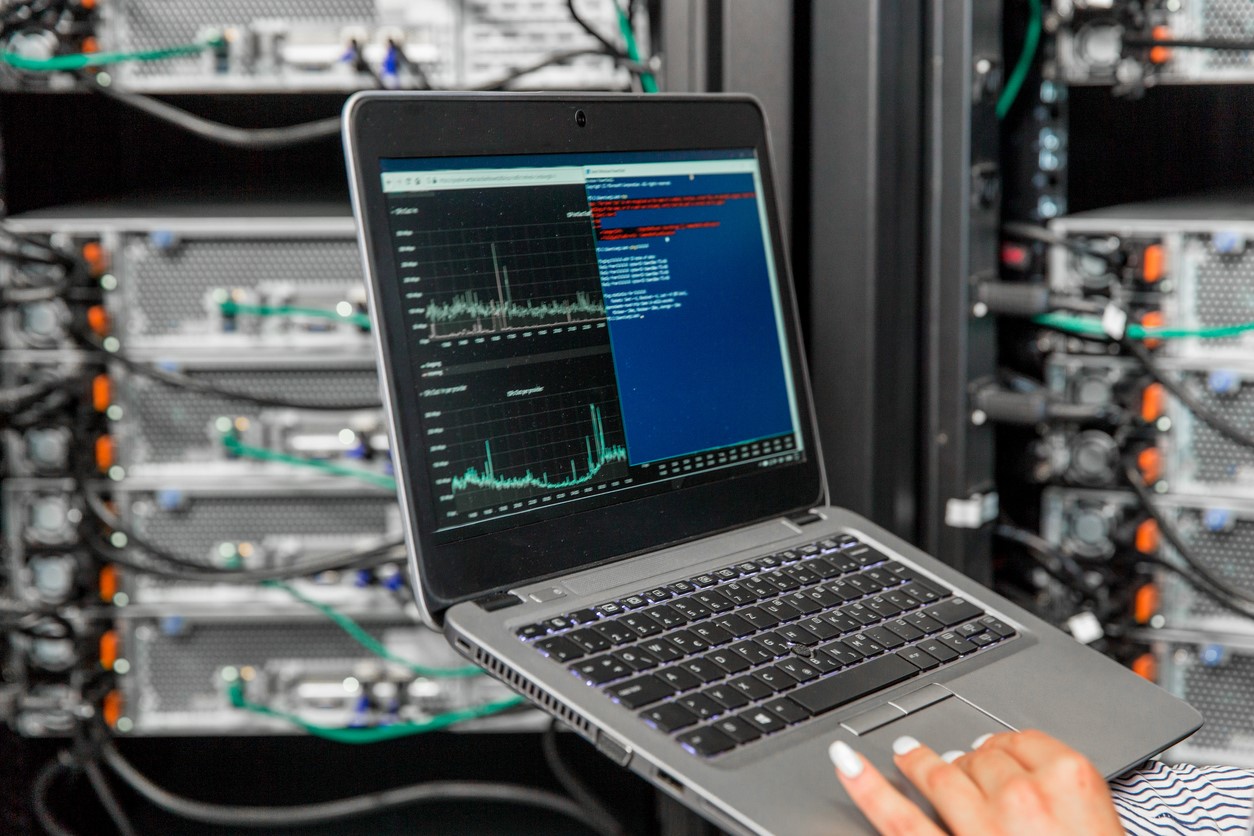
IT Engineer Using Laptopf for Network Monitoring and Analysis of Network Servers in Server Room

Network Monitoring is your first line of defense in securing the network

In the ongoing battle to maintain business information security, the tools we use are our most important defenses. Firewalls, anti-virus, encryption. But the best tool we have to defend against hackers is something you may have barely even heard of, Network Monitoring.

Network Monitoring is Cybersecurity’s Secret Weapon

Network monitoring, summarized, is keeping track of every single detail of your physical computers and devices, digital files and servers, and your internal network activity. But the reason it’s so obscure is that explaining network monitoring is incredibly technical. It triggers most people’s ‘Techno-Babel’ filters. Network monitoring is cybersecurity’s secret weapon is because it gathers -all- the data.

Network monitoring allows you to build a fortress with data. Not the precious personal and financial data the hackers want to steal. Just cold hard facts about your computers. You can zoom in as tight as the motherboard temperature or as wide as watching data flow through your network. And network monitoring can create a record of data over time, no matter what you are tracking, which allows patterns to be spotted and, therefore, deviations from normal patterns to raise alarms.

But to put it simply, it’s like placing security cameras on the data itself. Right inside the server, looking at the files you’re protecting and the network hackers are -required- to come through to access your internally stored data. Now let’s take a look at some of the highly useful practical applications for network-monitored defenses.

Unauthorized Network or Data Access

The problem with hackers is that they access your data without permission, or slip onto your internal network and start infecting endpoint devices. But to do this, they need a way in. They will need to, at some point, access your network through a stolen or unauthorized channel. Or they will try to access your data with a malware program instead of using the secured software access built for employees. In fact, hackers like to break the rules. They enjoy slipping around your normal protocols to steal your data or ruin your network.

But here’s the thing: Your ‘normal protocols’ create a certain pattern of data. Like watching waves on a shore, network monitoring set to watch specific files or network access knows what an authorized employee access looks like. And if anything else happens to those files or enters your network without following known employee protocols, network monitoring can trigger its hacker alarm and start messaging admins.

Signs of Stolen Login Credentials

You might be thinking “What if a hacker steals an employee’s password”. Stolen credentials are a very serious concern in business security because there are so few real solutions to the problem. Employees need to be able to log in from anywhere and to use their logins to do their normal work tasks. But what you can do is set up network monitoring to alert for suspicious authorized login behavior.

When an employee logs in from a mobile device or home computer, it is possible to record the IP address and get the general location of the login. There is also usually a date, timestamp, and sometimes the name of the device used. Your employees are going to have a normal set of devices and locations they log in from. Each login can then be pattern-matched to a certain set of devices and a geographical region that network monitoring can learn to recognize.

This means that network monitoring will also notice if that login is suddenly used on a new device in an unusual location, or suddenly in a new state or halfway across the world. Or at a time in which that login has never logged in before.

Checking in when patterns change is also the best and only way to consistently catch hackers who steal authorized logins. And if it’s something normal like a business trip or device upgrade, then no harm was done simply by touching base with the person who’s login was flagged.

Managed network monitoring is an incredibly powerful tool and these capabilities are only the beginning. Join us next time for the second half of this article where we’ll talk about misconduct, corporate espionage, compromised software, and detecting hidden malware programs. Contact us today for more information about network security, managed network service, or to set up managed network monitoring for your business needs.

See you next time!


What Should Your Employees Do Before Contacting the IT Help Desk?

Worried Man At Computer With System Failure Screen At The Workplace Before Contacting the IT Help Desk

Ever wonder what steps you could take before calling the helpdesk?

Your company’s employee-facing IT help desk was built so that team members can reach out for technical help whenever they need it. The IT support staff is there to help with networking errors, to make the company software work, and to make sure customers get the automated service they need through the company technology. They are there to make the computers and devices work correctly, to defend against active and passive hacker attacks, and to offer solutions to situations so complicated that your team hardly knows how to describe what’s gone wrong.

But there are also a few things that every computer-using professional can do before calling IT that can provide the solution so much faster than clocking and solving a ticket. IT help desk professionals are happy to help when their expertise is needed, but they often wind up reciting the basic troubleshooting steps instead of solving fun and challenging problems.

So today, we’re here to offer your team a few of those basic troubleshooting steps you can take before clocking a ticket. And if these techniques don’t produce a solution then, by all means, make that call or open that chat window to present your IT team with another interesting internal network challenge.

Reload the Software

Software glitches for a lot of different reasons. Full caches, computer resources, an over-logging error; these things can crash or slow down  your business software but they’re not necessarily things that IT can fix any easier than you can. What your IT help desk would say first is to reload the software. Hit refresh. Close the program and re-open it anew. Log out and back in again. And if that doesn’t solve the problem, feel free to get in touch with IT to see if there’s something else that can be done.

Reboot the Computer or Device

Is your entire computer moving slow, acting up, or glitching in a particularly annoying way? Again, there are too many reasons for hardware misbehavior to enumerate in a single paragraph or even a single dedicated whitepaper. But a lot of them can be solved with a simple reboot. Whether the issue was too much stacked software, background programs, or something that went wrong in the firmware that needs to be reset, rebooting pretty often provides the solution. But if the situation repeats itself within a few minutes of rebooting or seems to happen frequently, it’s time to reach out to your IT help desk for more in-depth answers.

Try Toggling the Relevant Settings

Check the settings. Whatever you’re having trouble with, check the user-accessible settings. Don’t worry about delving deep, but whatever settings you can reach, try toggling them back and forth to see if you can get a different or improved response. It might be that your software isn’t quite configured correctly or you just need to trigger another type of reset. Switch your Wifi off and back on again, switch sharing off and on, or switch your monitor from extended to duplicated to extended again. Yes, it really does work sometimes. Surprisingly often.

Check the Easily-Available Troubleshooting Guides

If your IT team has gone through the trouble of writing up troubleshooting guides for common problems, do them the favor of at least skimming the IT help section available to you. These guides are often written specifically because dozens to hundreds of tickets for the exact same problem have been submitted and IT has deemed that the troubleshooting process is easy enough for a non-IT professional to tackle on their own.

If you can’t find a guide or if your company doesn’t have internal IT help guides, then of course reach out to your IT team for personalized guidance instead.

Ask the IT Chatbot

Finally, if your IT help desk has cleverly set up a chatbot to answer frequently asked troubleshooting questions, take a moment to engage. Chatbots are getting pretty darn smart (and programmable) these days so if there’s an IT bot available, it might just have the answers. It’s not only worth your while to take this semi-automated DIY troubleshooting guide, it’s also an awesome story to tell to colleagues and friends that you got IT help from an actual virtual intelligence.

If and when all else fails, be sure to clock your troubles as a ticket and describe the steps you’ve already taken independently so your IT help desk team can jump right in to help you find the true cause and solution. For more interesting, useful, and actionable insights about IT help desks for your business, contact us today!

Managed Service Providers (MSPs) and Machine Learning

Hands of robot and human touching on a virtual network connection interface. Managed Service Providers (MSPs) and machine learning concept

Partnering with your managed service provider is key to setting your business up for success.

There are so many IT innovations and trends that are being introduced and followed, and many of them are catching the attention and imagination of Managed Service Providers(MSPs). One of the advances that is capturing the attention of Managed Service Providers is machine learning due to its ability to automate a variety of processes and operations at different levels.

When machine learning is used in business, it can significantly help businesses enhance their overall scalability and improve their overall business operations. Machine learning and other artificial intelligence tools have continued to grow in popularity in the business analytics industry. Machine learning has also seen a growth in popularity due to several factors, including the following:

  • easy access to data
  • faster computational processes
  • an increased volume of data
  • more access to affordable data storage

As a result of these factors and the popularity of machine learning, businesses can now use machine learning and implement it into their business strategy. Machine learning can help your business or organization extract vital information from a large set of raw data. If you are able to implement machine learning the right way, it will be an overall better solution to many of the challenges and problems your business may have, and you may also be able to predict some of the challenging behaviors your customers may have.

There are several ways machine learning can help your business, including the following:

Predictive Maintenance

Many businesses and organizations follow preventive maintenance strategies and practices, and these are often rather costly and ineffective. However, with the arrival of machine learning, companies and organizations in the manufacturing industry can use machine learning to locate relevant insight and connections in their factory data. This can help reduce any chance of risks that may be associated with unforeseen mistakes or failures. Machine Learning construction or planning can be created using the following:

  • historical data
  • visualization tools
  • analysis environment

Recognizing Spam/Malware

Did you know that machine learning can be used to detect spam? It has actually been used to detect spam for a significant amount of time now. In the past, email service providers have used various filters and tools to remove spam. Today, there are different rules and guidelines that need to be followed as far as spam filtering. Neutral networks are now being used to locate spam, malware, phishing, etc.

Enhancing Cyber Security

In addition to recognizing spam and malware, cyber security can also be used to increase security in a business or organization to a greater extent. Machine learning will allow providers to create better and newer technologies. These technologies can be used to detect hidden threats.

Picture Recognition

Face recognition or image recognition has the ability to produce various types of information from the images that have been captured and the data that has been captured. Image recognition involves a variety of things, including the following:

  • pattern recognition
  • data mining

Image recognition through machine learning is a vital asset and it has been used by companies and organizations across multiple industries.

Enhancing Customer Experience

Machine learning can play a huge role in enhancing the customer service experience by increasing the number of satisfied customers. Machine learning can be used to obtain previous email records, call records, etc. Machine learning can also be used to analyze the behaviors of customers. As a result, customers will be assigned to the customer service representative or executive that fits the customer’s needs. This can significantly reduce financial costs and the amount of time that it takes to effectively manage a relationship with customers.

Are you currently using machine learning in your business or organization? If you are planning to implement machine learning in the future, what do you hope to achieve through machine learning? Machine learning is growing at a fast pace and it is currently being driven by new technologies.

Managed Service Providers continue to look for bigger and better solutions to the problems that customers have. Not only are they looking for new resources and technologies, but they are also looking for services that can help them overcome the challenges and obstacles they are facing across various industries. There is a strong belief that MSPs can have greater success by adopting new security solutions that use machine learning and other capabilities.

Please do not hesitate to reach out to us today for more information on machine learning and how it is being used by Managed Service Providers.